WordPress Development · San Antonio

WordPress development in San Antonio, built to stay fast, secure and easy to edit.

New WordPress sites, rebuilds of ones that have drifted, custom plugins when no plugin fits, and WooCommerce stores that handle real orders. We also take over sites someone else built.

Pecan Street Physical Therapy

Site check-up
  • WordPress, theme and plugins up to date
  • Backup restored on a test copy
  • Appointment form tested end to end
  • Home page quick on a phone
Illustration A fictional site with sample results.

What we do on WordPress

WordPress runs a large share of small-business websites. Most of their problems come from how a site was built and looked after, not from WordPress itself.

  • New sites and rebuilds

    A site planned around what customers come to do, built so your team can edit text and photos without breaking the layout.

  • Speed and stability

    Slow pages, crashes after updates and plugin conflicts, traced to their causes and fixed.

  • Custom plugins and integrations

    Features no plugin offers, and connections to tools such as your CRM, written as clean, contained plugins.

  • WooCommerce stores

    Checkout, shipping and order emails that work under real orders, including stores with several sellers. See E-commerce.

  • Updates and support

    A tested routine for updates, backups and access, so the site stays secure. See Ongoing Support.

What does your WordPress site need?

Choose the problem that sounds most like yours. Each one shows what we check first, an example check-up, and what usually fixes it.

It’s slow, especially on phones.

Find what is actually slowing it down

Slow WordPress sites rarely have one cause. We measure the pages your customers really use, on a phone connection, and fix the biggest causes first instead of stacking on another speed plugin.

What we check first

  • Image sizes and formats
  • Caching and the hosting setup
  • Heavy themes, page builders and plugins loading on every page
  • Third-party scripts such as chat widgets, embeds and trackers

Pecan Street Physical Therapy

Speed check
  • Hero image is far larger than the screen needsFix first
  • Booking widget loads on every pageReview
  • Page caching is not turned onReview
  • Theme and fontsFine
Illustration A fictional WordPress site. Findings vary from site to site.

Usually the answer

Cleanup and configuration of what is already there. New plugins are rarely the fix.

We’re afraid to update it.

Update safely, with a way back

Sites that go months without updates get harder to update, and more exposed. We set up a routine that makes updates boring: a backup you can restore, a test copy, and checks on the pages that matter.

What we check first

  • A recent backup, and whether it actually restores
  • Plugins that are abandoned, duplicated or no longer needed
  • Who has admin access, and whether they still should
  • A staging copy where updates can be tried first

Pecan Street Physical Therapy

Update check
  • Backups run, but a restore has never been testedFix first
  • Two plugins no longer maintained by their authorsReplace
  • Former staff still have admin accountsReview
  • WordPress core is currentFine
Illustration A fictional WordPress site. Findings vary from site to site.

Usually the answer

A regular, tested update routine. That is what Ongoing Support covers.

Forms or the store aren’t reliable.

Trace a real request from start to finish

When inquiries or orders go missing, we send real test submissions and follow them: the form, the email that should arrive, the record it should create, and the confirmation the customer sees. Then we fix the weak link and make failures visible.

What we check first

  • Whether form emails are actually delivered, or quietly rejected
  • Spam protection that may also be blocking real people
  • For stores: checkout, payment, shipping and order emails, end to end
  • Where submissions are stored if email fails

Pecan Street Physical Therapy

Form check
  • Contact form emails rejected by the inboxFix first
  • No copy kept when email failsAdd
  • Spam check on the quote formWorking
  • Thank-you page and confirmation emailWorking
Illustration A fictional WordPress site. Findings vary from site to site.

Usually the answer

Fixing the delivery or configuration problem, then adding an alert so the next failure is noticed the same day.

We need it to do something new.

Plugin, configuration or custom code?

Most new features already exist as a well-supported plugin, and that is usually the right start. When nothing fits the way your business works, we build a custom plugin that does exactly the job and nothing more.

What we check first

  • Whether a maintained, well-reviewed plugin already does it
  • Whether your current theme, forms or store can be configured to do it
  • What the feature needs to connect to, such as a CRM or a shipping service
  • Whether the need has outgrown a website and become an application

Pecan Street Physical Therapy

Feature check
  • Online booking: a maintained plugin fitsUse plugin
  • Show new appointments in the office calendarConfigure
  • Patient intake with your own rules and documentsCustom plugin
  • A patient portal with logins and recordsCustom app
Illustration A fictional WordPress site. Findings vary from site to site.

Usually the answer

A plugin you can rely on, set up properly. Custom code only where nothing else fits.

Not sure which one it is? Tell us what you are seeing and we will start by looking.

Let's Talk

Plugin, configuration, or custom code

We choose the lightest option that does the job well, and we say which one we would use and why.

  1. First choice

    A well-supported plugin

    Actively maintained, widely used and compatible with your site. Quickest to set up and easy for someone else to support later.

  2. When settings get you there

    Configure what you already have

    Your theme, forms or store can often do more than they currently do, with no new plugin at all.

  3. When nothing fits

    A custom plugin

    Small and focused on one job, kept separate from the theme so updates don’t break it, and documented.

  4. Beyond a website

    A custom application

    Customer portals, staff workspaces and business rules that have outgrown a website. See Custom Software & Apps.

WordPress work we have done

Each of these runs on WordPress. Our part is described as it was.

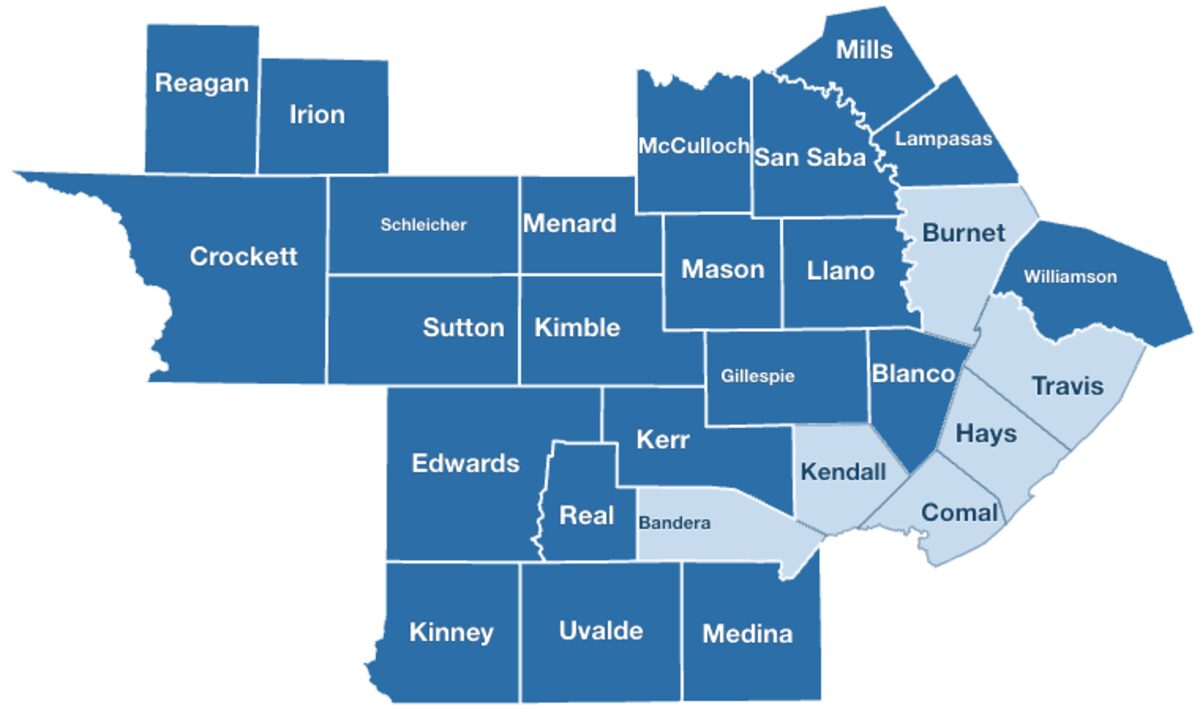
The current Hill Country county map on deertexas.com, with counties that have listings shown darker.

Deer Texas · Hunting lease listings

Improving a long-running site without replacing it

We rebuilt the region and county maps on the site’s existing listings software, so hunters can browse by place. All 254 Texas counties, checked on the live site at four screen sizes. We have also designed and proposed the next version of the platform.

See Deer Texas on our homepage
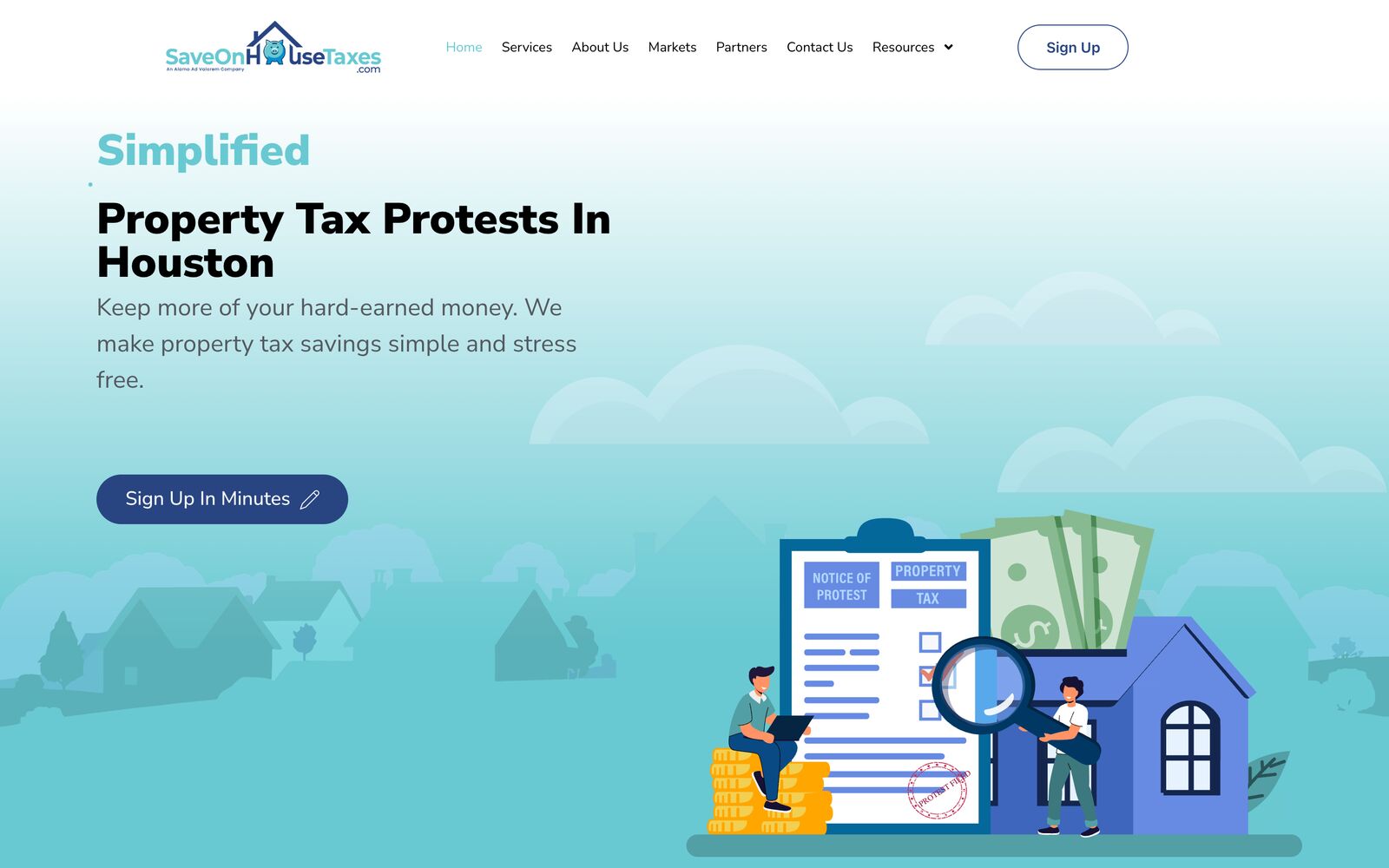
The SaveOnHouseTaxes.com home page.

SaveOnHouseTaxes.com · Property tax consulting

Custom plugins for online enrollment

An enrollment system built as custom WordPress plugins: it generates each client’s agreement, captures the signature online and creates the client record in Zoho CRM.

Read the case study
The Teacher Pop Shop marketplace home page.

Teacher Pop Shop · WooCommerce marketplace

Shipping tools for every seller

Inside the existing WooCommerce marketplace, sellers buy a postage label, get tracking and mark orders shipped. Each seller’s label and tracking stay separate, even on a shared order.

See Teacher Pop Shop on our homepage

Taking over a site someone else built

Many sites we work on were built by someone who has moved on. We start by making it safe to touch.

  1. Access and a working backup

    We confirm who controls the domain, hosting and admin accounts, and make sure a backup actually restores.

  2. A plain-language review

    What is installed, what is outdated, what is fragile, and what is fine. You get a short list in order of importance.

  3. Changes on a test copy first

    Updates and fixes are tried on a staging copy, then made live and checked on the pages that matter.

  4. Handoff your team can use

    A short guide to editing the site, and a record of what changed and why.

Questions about WordPress development

Can you work on a WordPress site someone else built?

Yes. We start with access, a tested backup and a review of what is installed, then agree on what to fix and in what order.

Will we be able to edit the site ourselves?

Yes. We set up editing so your team can change text, photos and pages without breaking the layout, and we give you a short guide.

Can you make our WordPress site faster?

Usually. We measure the pages customers use most, on a phone, and fix the biggest causes first. How much faster depends on the site, its hosting and what it loads, so we say what we found before promising anything.

Do we need to change hosting?

Not necessarily. We work with your current host. If the hosting is what limits the site, we will explain why and what the options are.

Is WordPress right for what we need?

For most business websites and stores, yes. If you need customer logins, staff workspaces or business rules a website can’t carry well, a custom application may fit better. See Custom Software & Apps.

Tell us what your site needs

Send the address of your site and what is bothering you about it. We will take a look and suggest a sensible first step.